
Learn how to fix IPTV buffering, freezing, and lag with proven troubleshooting tips. Improve streaming performance on Smart TVs, Fire TV Stick, Android TV, and more.
Nothing ruins a streaming session faster than constant buffering, frozen screens, or annoying playback delays. Whether you’re watching on a Smart TV, Android TV, Fire TV Stick, or another compatible device, these interruptions can quickly become frustrating.
The good news is that buffering is usually caused by technical factors that can be identified and improved. In many cases, the problem isn’t the television itself but rather the internet connection, Wi-Fi quality, device performance, or application settings.
Understanding why buffering happens is the first step toward achieving smoother streaming. With a few practical adjustments, many users can significantly improve playback quality without purchasing new equipment.
This guide explains the most common causes of IPTV buffering, why freezing and lag occur, and the best ways to optimize your streaming experience on today’s most popular devices.

What Is IPTV Buffering?
Buffering occurs when a streaming application temporarily pauses playback because it needs additional data before continuing.
Instead of playing the video continuously, the application downloads a small amount of content in advance. If the data cannot be delivered quickly enough, playback stops while more information is loaded.
Depending on the situation, buffering may appear as:
- a spinning loading icon
- frozen images
- delayed audio
- playback interruptions
- reduced video quality
Occasional buffering can happen on any internet connection. However, if it occurs frequently, it usually indicates that something in the streaming process requires attention.
Why Does IPTV Keep Buffering?
One of the most common causes is insufficient internet speed.
Streaming video requires a continuous flow of data. If your internet connection cannot deliver enough bandwidth, the application must pause playback while waiting for additional information.
As a general guideline:
- Around 5 Mbps is suitable for standard definition.
- Around 10 to 15 Mbps is recommended for HD streaming.
- Approximately 20 Mbps or more is recommended for Full HD.
- Around 25 Mbps or higher provides a comfortable experience for 4K streaming.
Keep in mind that several connected devices sharing the same network can reduce the available bandwidth for streaming.
Internet stability is just as important as internet speed.
Many users focus only on download speed while overlooking connection quality. A connection that constantly fluctuates can produce freezing, playback interruptions, and inconsistent video quality even if the speed appears acceptable.
For streaming, a stable connection is almost always more important than achieving the highest possible speed.
Wireless network quality also plays a major role.
A weak Wi-Fi signal may cause buffering even when your broadband connection is fast.
Several factors can reduce Wi-Fi performance, including:
- long distance between the router and the streaming device
- thick concrete walls
- electronic interference
- neighboring wireless networks
- outdated networking equipment
Improving Wi-Fi coverage often leads to immediate improvements in streaming quality.
Another frequent cause is network congestion.
Modern households often have numerous connected devices using the internet simultaneously.
Examples include:
- smartphones
- tablets
- laptops
- gaming consoles
- smart home devices
- cloud backups
- video calls
When many devices compete for bandwidth, streaming applications may struggle to receive data consistently.
Device performance should also not be overlooked.
Older streaming devices with limited processing power, insufficient memory, or nearly full storage may become slower over time.
Applications can take longer to load, menus may become less responsive, and video playback may become less stable.
Keeping your device updated and maintaining available storage helps improve overall performance.
How to Fix IPTV Buffering
One of the simplest solutions is restarting your streaming device.
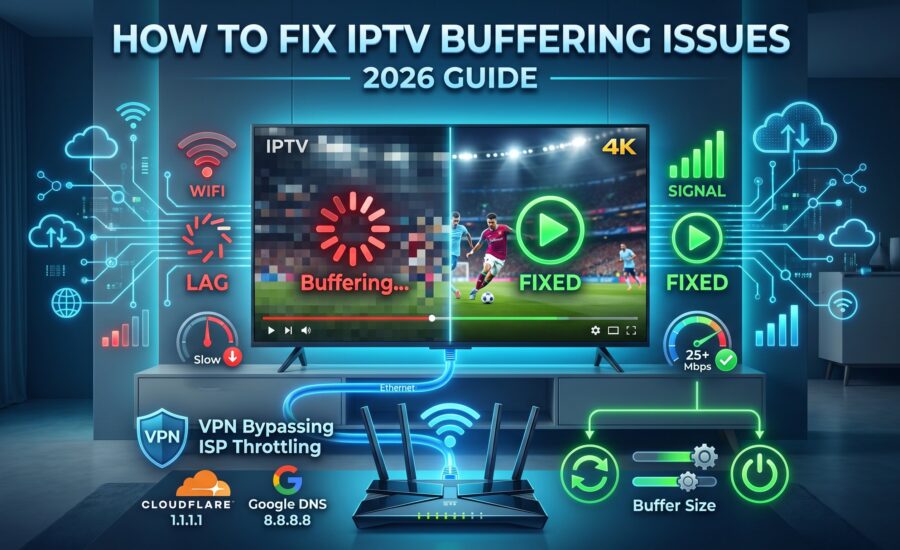
Restarting clears temporary processes, frees memory, and refreshes the operating system. It is often enough to solve minor performance issues without any additional troubleshooting.
Restarting your router is another effective step.
Routers operate continuously for long periods and occasionally benefit from a reboot.
Restarting the router refreshes the internet connection, clears temporary network issues, and may improve overall stability.
Whenever possible, consider using a wired Ethernet connection instead of Wi-Fi.
An Ethernet cable provides a direct connection between your streaming device and the router, reducing interference and improving connection stability.
For Smart TVs and Android TV boxes that remain in one location, Ethernet is often the most reliable option.
If Wi-Fi is your only option, placing the router closer to your streaming device can significantly improve signal quality.
Avoid positioning the router behind furniture, inside cabinets, or near large electronic appliances that may interfere with the wireless signal.
Keeping your applications updated is equally important.
Software updates often include performance improvements, bug fixes, compatibility enhancements, and security updates that contribute to smoother streaming.
Device software should also be updated regularly.
Manufacturers frequently release updates that improve Wi-Fi performance, memory management, and overall system stability.
Running the latest software version helps ensure the best possible streaming experience.
Finally, close unnecessary background applications and clear temporary cache files whenever appropriate.
Freeing system resources allows your streaming application to operate more efficiently and reduces the likelihood of buffering or playback interruptions.
Improve Your Home Network for Better Streaming
A reliable home network is the foundation of a smooth streaming experience. Even with a fast broadband subscription, poor network performance can lead to buffering, freezing, or reduced video quality.
If multiple people are using the internet at the same time, your available bandwidth may be shared between several activities such as online gaming, video calls, cloud backups, and file downloads.
To improve overall streaming performance, try to schedule large downloads outside your viewing hours whenever possible.
Modern routers also include features that help manage network traffic more efficiently. Keeping your router updated with the latest firmware can improve stability, security, and wireless performance.
Router placement is equally important.
For the best coverage, position your router:
- in a central location
- away from thick concrete walls
- on an elevated surface
- away from microwaves and other electronic devices that may create interference
A stronger wireless signal usually results in a more stable streaming experience.
Ethernet vs Wi-Fi for Streaming
Both Ethernet and Wi-Fi can provide excellent streaming performance, but they offer different advantages.
An Ethernet connection delivers data directly through a network cable.
Benefits include:
- lower latency
- greater connection stability
- consistent speeds
- reduced wireless interference
This makes Ethernet an excellent choice for devices that remain in one place, such as Smart TVs or Android TV boxes.
Wi-Fi, on the other hand, offers greater flexibility.
Modern Wi-Fi technologies provide excellent performance for most households, especially when using dual-band or Wi-Fi 6 routers.
If you rely on Wi-Fi, keeping your streaming device within good signal range can significantly improve playback quality.
Optimize Your Streaming Device
Streaming performance depends not only on your internet connection but also on your device.
Over time, every streaming device accumulates temporary files, installed applications, and background processes that may reduce performance.
A few simple maintenance habits can make a noticeable difference.
Restart your device regularly to refresh system resources.
Remove applications you no longer use.
Keep enough free storage available to allow the operating system to function efficiently.
Install official software updates whenever they become available.
These small actions help maintain consistent performance over the long term.
Why Streaming Quality May Change
Many users notice that streaming quality changes throughout the day.
This is perfectly normal.
Internet traffic often increases during evenings and weekends when more people are online.
As a result, your available bandwidth or network performance may temporarily fluctuate.
Weather conditions, network maintenance, or temporary service interruptions from your internet provider may also affect streaming quality.
Understanding that several factors influence internet performance helps set realistic expectations.
Smart TV Streaming Tips
Smart TVs have become one of the most popular ways to enjoy internet-based entertainment.
To achieve the best possible performance:
- keep the television software updated
- close unused applications
- restart the television occasionally
- maintain a strong network connection
- avoid running unnecessary background applications if supported
Modern Smart TVs are designed for streaming, but regular maintenance still contributes to smoother playback.
Android TV Performance Tips
Android TV devices offer excellent flexibility and customization.
To keep them performing well:
- install official software updates
- clear temporary application data when necessary
- remove applications you no longer use
- restart the device from time to time
- ensure sufficient available storage
These simple habits help maintain responsive menus and stable video playback.
Fire TV Stick Optimization
Amazon Fire TV Stick remains one of the most popular streaming devices worldwide.
To improve performance:
- restart the device regularly
- install system updates
- maintain available storage
- avoid unnecessary background processes
- ensure a reliable internet connection
Keeping both the device and installed applications updated contributes to a smoother experience.
Common Streaming Mistakes
Many streaming issues are caused by small configuration mistakes rather than major technical problems.
Some of the most common include:
- placing the router too far away
- using outdated networking equipment
- ignoring software updates
- allowing storage to become completely full
- running multiple high-bandwidth activities simultaneously
Correcting these issues often improves streaming quality without requiring new hardware.
Is Expensive Equipment Necessary?
Not necessarily.
Many households achieve excellent streaming performance using affordable devices combined with a reliable broadband connection.
Rather than purchasing expensive equipment immediately, focus on optimizing your existing setup first.
Simple improvements often provide significant benefits.

Frequently Asked Questions
Why does streaming sometimes freeze even with fast internet?
Download speed is only one part of the equation.
Wireless interference, network congestion, device performance, and temporary internet instability can also affect streaming quality.
How can I reduce buffering?
Some of the most effective improvements include:
- using a stable internet connection
- improving Wi-Fi coverage
- restarting your device regularly
- keeping software updated
- reducing network congestion
Is Ethernet better than Wi-Fi?
For fixed devices, Ethernet generally provides the most stable connection.
However, modern Wi-Fi networks can also deliver excellent streaming performance when signal quality is strong.
Does restarting my device really help?
Yes.
Restarting clears temporary memory, refreshes background processes, and often resolves minor performance issues.
It is one of the simplest troubleshooting steps available.
Can an older streaming device cause buffering?
Older hardware may struggle with modern applications or newer operating system requirements.
Keeping devices updated and maintaining available storage can improve overall responsiveness.
Should I upgrade my router?
If your router is several years old or struggles to provide consistent Wi-Fi coverage throughout your home, upgrading to a newer model may improve network performance.
Before purchasing new equipment, however, try optimizing your current router’s placement and updating its firmware.
Final Thoughts
Buffering, freezing, and playback lag are among the most common streaming challenges, but they are often easier to resolve than many people expect.
Instead of focusing on a single cause, take a broader approach by evaluating your internet connection, home network, streaming device, and software.
Regular maintenance, a stable broadband connection, updated applications, and good Wi-Fi coverage all contribute to a smoother viewing experience.
While no internet-based streaming solution is completely immune to occasional interruptions, following the recommendations in this guide can significantly reduce buffering and improve overall performance.
Whether you stream on a Smart TV, Android TV, Google TV, Fire TV Stick, smartphone, tablet, or computer, a well-optimized setup will help you enjoy more reliable, high-quality streaming.

Free Trial
BEST IPTV IN EUROPE & USA/CANADA